
E-commerce managers routinely obsess over pricing strategies, catalog expansion, and checkout button colors, yet many hemorrhage revenue daily due to an invisible leak: technical friction. When a potential buyer lands on your store, their experience is dictated by milliseconds. Every delay, every unexpected layout shift, and every unresponsive tap acts as a micro-barrier, eroding trust and killing the sale before the user even reaches the cart.
The correlation between page speed and conversions is absolute: if your store fails to load efficiently, you are 1. losing human customers and 2. turning away revenue.
Technical health dictates your baseline profitability. When your e-commerce is technically unsound, your conversion rate optimization efforts hit an artificial ceiling. You can drive thousands of high-intent users to a product page, but if the underlying architecture fails to deliver a seamless user experience, those visits translate into bounces rather than sales.
Website speed e-commerce conversions depend entirely on how quickly and smoothly a user can transition from initial interest to final transaction. Let’s dive in.
Read more: How to monitor and fix technical SEO errors in e-commerce at scale with Niara
The three Core Web Vitals pillars of friction in e-commerces (LCP, CLS, and INP)
To understand why users abandon your store, you must look at the specific metrics that quantify their frustration. Core Web Vitals (CWV) are a set of standardized metrics introduced by Google to evaluate the real-world user experience of a webpage, specifically focusing on loading speed, interactivity, and visual stability.
Site performance is built on these three distinct pillars — Largest Contentful Paint (LCP), Cumulative Layout Shift (CLS) and Interaction to Next Paint (INP) — and that measure the exact moments a user interacts with your site. Failing in any of these areas creates a broken flow, directly impacting e-commerce page load time and overall profitability.
1. Largest Contentful Paint (LCP) explained
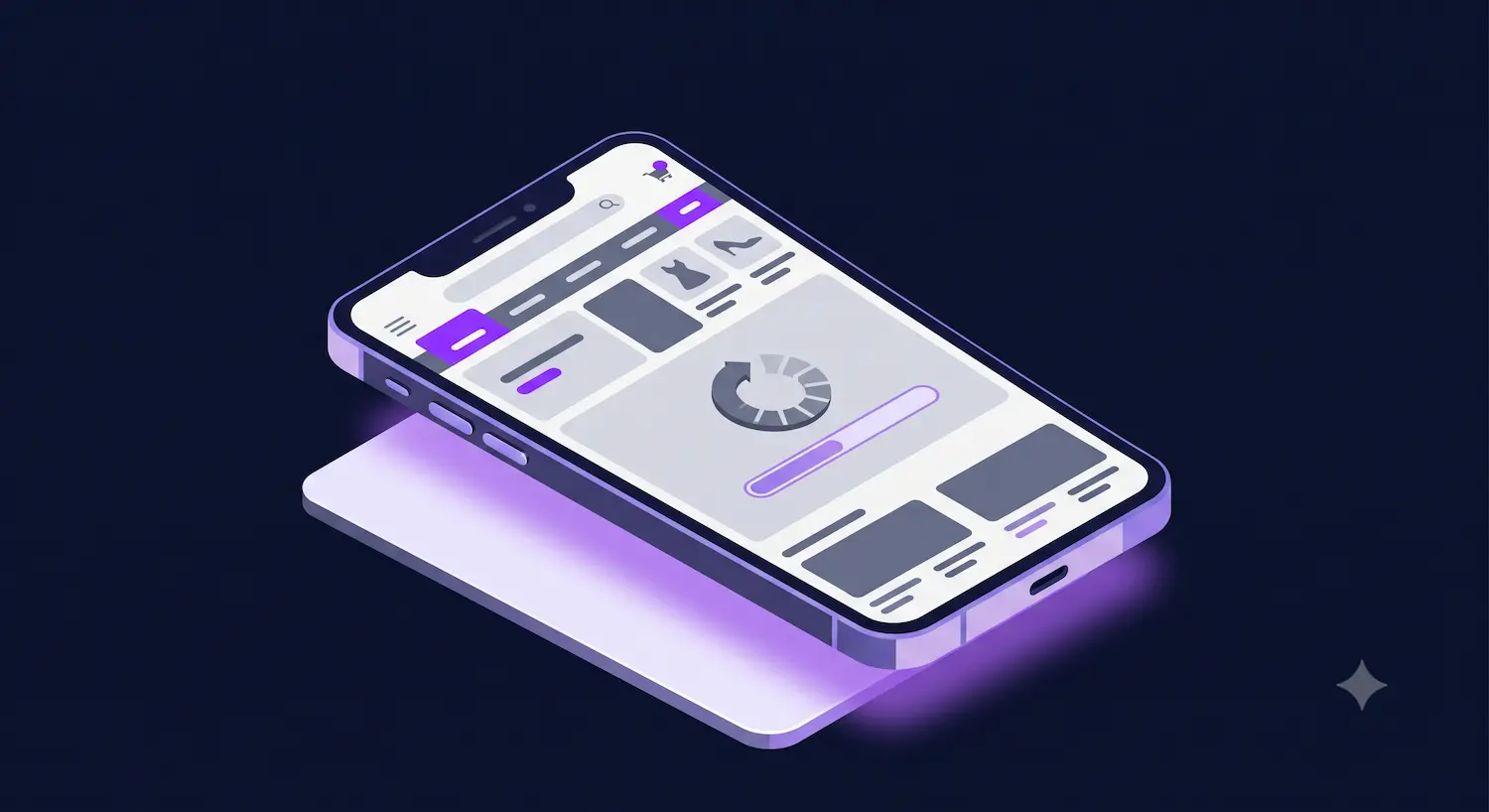
The Largest Contentful Paint represents the First Impression. It is the precise moment your user decides whether your store is worth their time. Technically, LCP measures the time it takes to render the largest visible element within the initial viewport, which in an e-commerce context is almost always the hero product image or a promotional banner. If this element takes too long to appear, the user is left staring at a blank screen or a skeletal layout, instantly diminishing their perception of your brand’s reliability.
E-commerce stores frequently fall into the Hero Image Trap. Merchandising teams want to showcase products in the best possible light, leading to the upload of high-resolution, uncompressed product photography.
While these assets are vital for a healthy e-commerce content ecosystem, they become liabilities when they aren’t optimized for delivery.
A classic example is a massive 4K promotional banner placed on the homepage. On a high-speed office network, it might load instantly. However, for a user on a volatile 4G mobile connection, that same image might take five agonizing seconds to render. This directly destroys mobile performance and skyrockets your bounce rate. Your stunning product photography is literally scaring customers away because they refuse to wait for it to materialize.
The impact of poor LCP e-commerce optimization extends far beyond immediate human abandonment. We are entering the agentic commerce era, where AI-driven shopping assistants navigate the web on behalf of users, which means that fast LCP is a prerequisite for machine visibility.
If an AI agent attempts to index or evaluate your product page and cannot quickly “see” the main product image or price due to rendering delays, it operates under strict timeout constraints. It will simply skip your link in favor of a faster competitor.
2. Cumulative Layout Shift (CLS) explained
Cumulative Layout Shift measures the visual stability of your page as it loads. Nothing frustrates a buyer more than the “Oops, wrong button” effect. This occurs when a user attempts to interact with a specific element, but the entire layout suddenly shifts because a late-loading image, ad, or dynamic banner violently pushes the content downward.
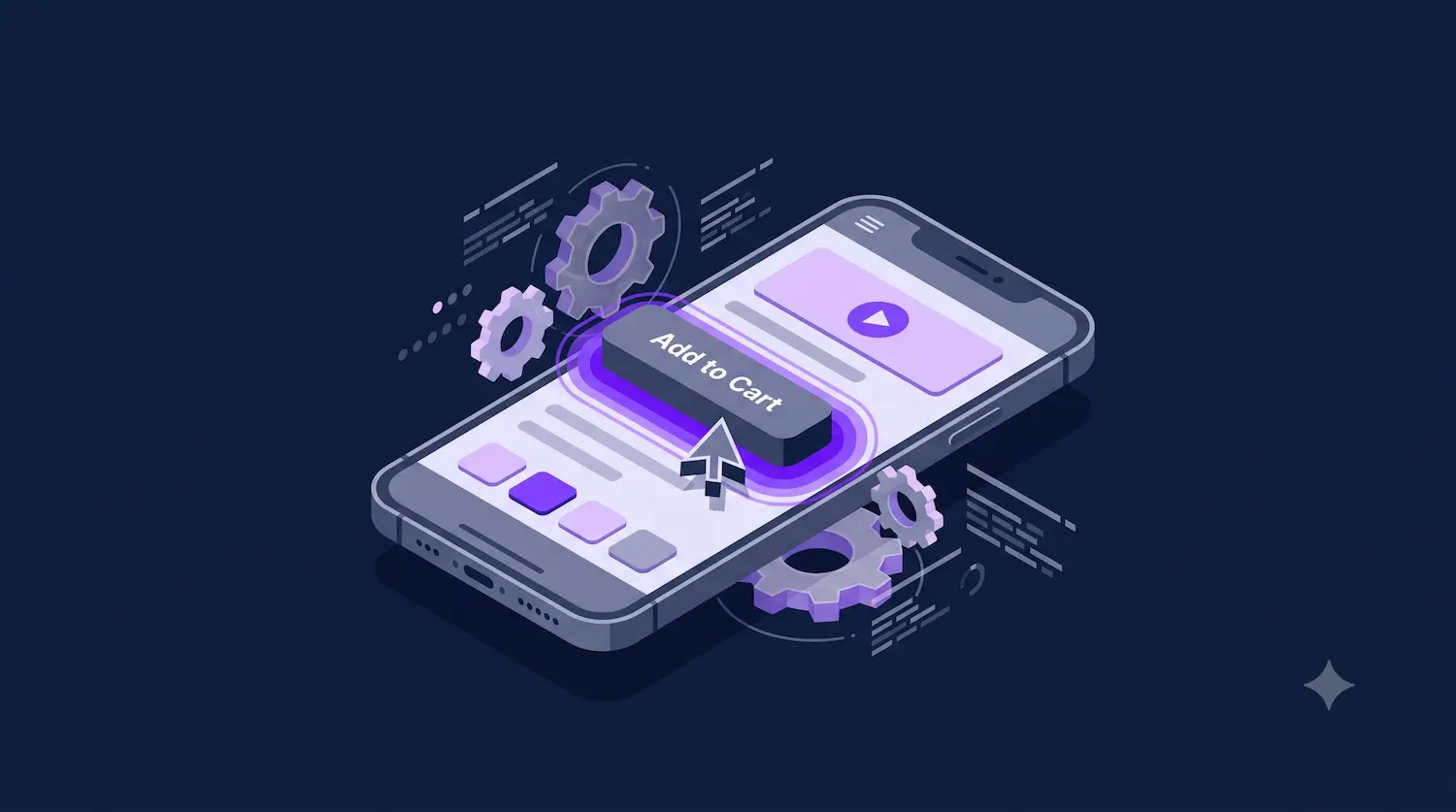
Consider a standard mobile checkout scenario. A user has made their decision and moves their finger to tap the “Add to Cart” button. Milliseconds before their finger makes contact, a heavy “10% Off Discount Popup” finishes loading at the top of the screen. The layout shifts, the “Add to Cart” button is pushed down, and the user inadvertently clicks a related product link or an external advertisement.
This CLS stability e-commerce failure instantly breaks the purchasing momentum, replacing buying intent with extreme frustration. Users who feel they cannot control their navigation will abandon the session entirely.

For AI agents, layout shifts are equally destructive. Automated agents rely on a stable Document Object Model (DOM) to execute tasks. If elements shift unexpectedly, the agent’s scraping or interaction path breaks. The agent registers a failed interaction and reports your site as broken, effectively blacklisting your products from automated purchasing workflows.
3. Interaction to Next Paint (INP) explained
While LCP and CLS focus on how the page looks as it loads, INP measures what happens when the user actually tries to use it. It quantifies the delay of all interactions, including clicks, taps, and keyboard presses. A page can look perfectly loaded, but if the underlying browser main thread is choked with heavy scripts, the page becomes unresponsive. This is the ultimate conversion blocker.
A common INP e-commerce disaster occurs directly in the cart. A customer enters a promotional code and clicks “Apply Coupon”. Because the site relies on massive, unoptimized JavaScript bundles to process the request, the browser freezes for 500 milliseconds. The button does not provide visual feedback. The user assumes the click did not register and taps it three more times, triggering multiple conflicting network requests and completely crashing their cart session.
This interaction delay guarantees cart abandonment. Modern shoppers expect immediate tactile feedback.
In Agentic Commerce, the requirement for low latency is absolute. AI agents execute “Buy Now” actions programmatically and require instantaneous confirmation that an action has been registered. High INP makes your checkout flow entirely un-automatable. If an agent experiences severe interaction delays, it abandons the task, costing you a guaranteed sale without you ever knowing the agent was there.
How Core Web Vitals secures your place in AI search
AI shopping agents are designed to actively navigate stores, compare prices, and execute purchases on behalf of users. Unlike a human shopper who might wait for a stunning product image to load, an AI agent operates on strict programmatic timeouts. They evaluate your site’s DOM, execute JavaScript, and measure latency with precision.
When your site suffers from technical errors, high latency, or layout instability, you are actively excluding your products from AI-driven search results. The agent will simply route the purchase to a competitor with a cleaner, faster technical architecture.
Or even worse: if an agent cannot reliably parse your data due to technical lag, it increases the risk of e-commerce price hallucinations, leading the AI to provide incorrect information or simply route the purchase to a competitor with a cleaner, faster technical architecture.”
Making your site “Agent-Ready” turns technical stability into a massive competitive advantage. While your competitors ignore their web performance optimization, relying on brand loyalty to force users through slow checkouts, your store can provide the frictionless environment that AI agents demand.
A technically sound site ensures that when an agent queries a product, your pages respond instantly, your layouts remain rigid, and your interactive elements fire without delay.
Also read: We analyzed Target, Ulta Beauty and Williams-Sonoma: who’s ready for the AI era?
Measuring CWV for e-commerce
To increase your store’s conversions and ensure your products remain “Agent-Ready”, you need a dual-layered measurement strategy: Field Data for real-world performance and Lab Data for debugging.
- Field data: this is the voice of your actual customers, collected via the Chrome User Experience Report (CrUX Vis). It’s the only metric that directly impacts your Google rankings and bottom line because it tracks real interactions.
- Lab Data: this is like a simulated test drive. It helps you test new changes or updates in a controlled environment to make sure they won’t slow down your site before you go live. Synthetic tools like Lighthouse act as your debugging laboratory. They provide a controlled environment to test a new product page template before it goes live.
By using both, you stop guessing and start fixing the specific issues that are hurting your revenue. A site that feels instant builds trust, keeps shoppers happy, and ensures you are the first choice for both human customers and AI search tools.
From analysis to action: automating your performance audit with AI
We know that diagnosing why your store is slow usually feels like a headache. It often involves jumping between confusing tools, staring at messy spreadsheets, and trying to figure out what technical terms actually mean for your sales.
But what if all your data was centralized in one place? This is exactly where the Niara Technical SEO Agent changes the game.
Acting as your 24/7 technical consultant, our SEO AI agent seamlessly integrates data from Google Search Console and PageSpeed Insights to provide deep, contextual reports on your Core Web Vitals health.
It automatically categorizes every page of your site based on Core Web Vitals (CWV) performance, labeling them as “Poor”, “Needs Improvement”, or “Good.”
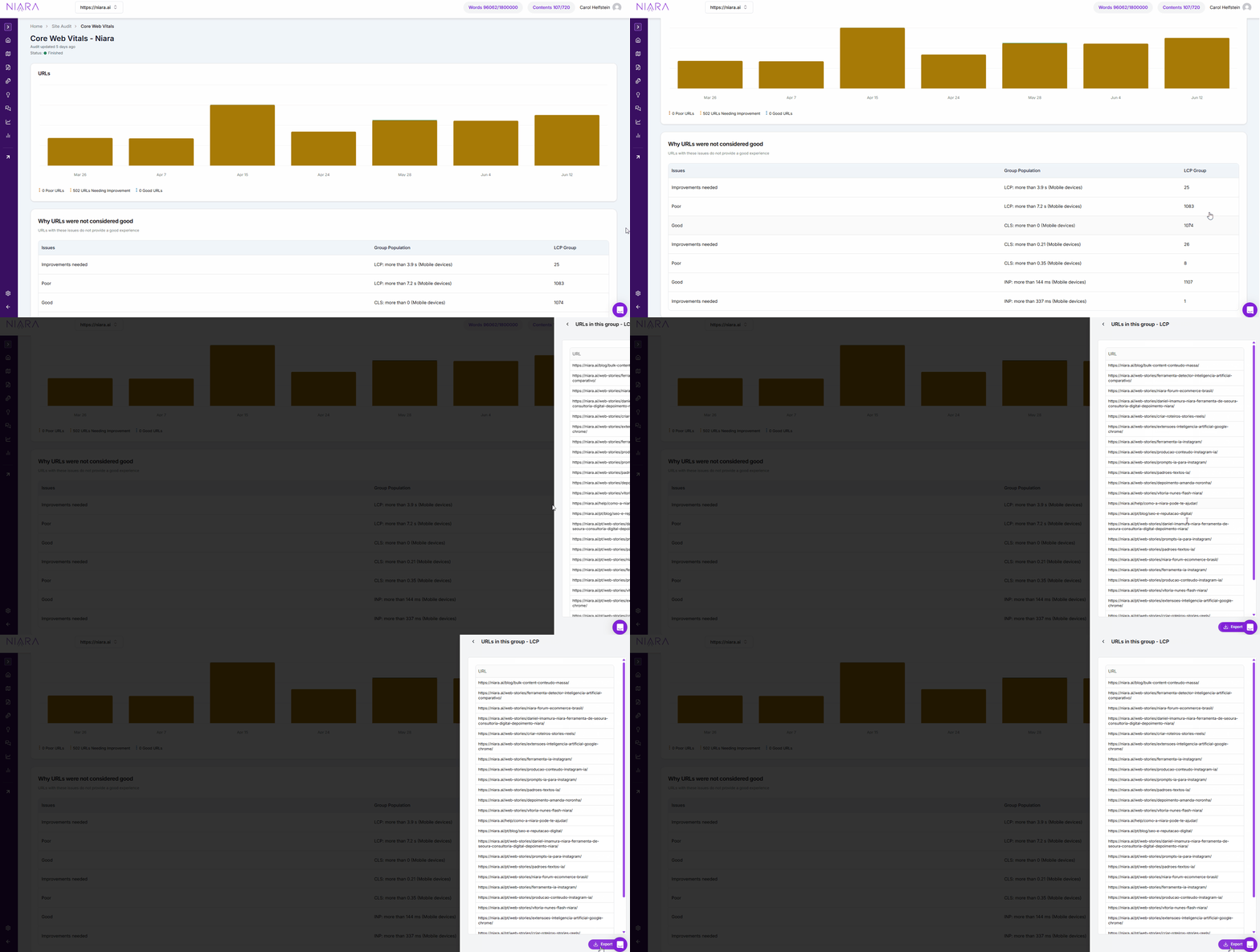
From there, you have full flexibility: you can export the list to brief your development team or feed the report directly into ChatSEO to build a comprehensive implementation plan.
Beyond performance metrics, Niara surfaces critical errors that impact your rankings and crawl budget. Each issue is flagged by criticality level, ensuring you prioritize what truly matters for your bottom line.
Instead of searching for technical definitions elsewhere, you can interact directly with the data within the dashboard. By asking Niara “What does this error mean?” or “How do I fix this?”, you receive immediate, context-aware explanations and step-by-step guidance.
This conversational approach bridges the gap between identifying a problem and executing a solution, allowing you to scale your technical SEO without the typical operational drag.
| Feature | Manual analysis | With Niara AI Agent |
|---|---|---|
| Data gathering | Multiple tabs and spreadsheets | Centralized, one-click integration |
| Problem solving | Guessing and Googling fixes | Instant, CMS-specific recommendations |
| Time spent | Hours or days of analysis | Seconds to actionable insight |
Strategic performance roadmap: from quick wins to long-term scale
Improving your store’s performance doesn’t always require a complete overhaul. By focusing on high-impact, low-effort optimizations first and then establishing a long-term roadmap, you can recover lost revenue and build a resilient user experience.
Phase 1: quick wins to boost conversions
Focus on these immediate actions to stabilize your Core Web Vitals (CWV) and improve the “Add to Cart” experience:
- Optimize Largest Contentful Paint (LCP)
- Prioritize hero images: use fetchpriority=”high” on your main product or banner images to tell the browser to load them first.
- Responsive assets: implement srcset attributes so mobile users don’t download heavy, desktop-sized files.
- Font loading: apply font-display: swap in your CSS to ensure text is visible immediately while custom fonts load in the background.
- Eliminate Cumulative Layout Shift (CLS)
- Reserve space: always define width and height attributes for images, ads, and banners.
- Aspect ratio: use the CSS aspect-ratio property to prevent elements from “jumping” and shifting the layout as they load.
- Improve Interaction to Next Paint (INP)
- Defer non-critical JS: delay third-party scripts (like heatmaps or secondary tracking) until after the user interacts with the page.
- Main thread freedom: reduce JavaScript execution time to ensure buttons and menus respond instantly to clicks.
Phase 2: deeper optimization and scalability
Performance is not a one-time project, but a continuous discipline. Use these guardrails to ensure your site stays fast as you grow:
- Implement performance budgets:
- Integrate CWV thresholds into your development pipeline (CI/CD).
- Set a rule: if a new feature or marketing popup breaks your performance limits, it doesn’t go live until optimized.
- Ruthless third-party audits:
- Audit every tracking pixel and script. If a tool isn’t providing measurable ROI, remove it.
- Delete abandoned A/B testing scripts and old analytics tags that are “stealing” processing power from your customers’ devices.
- Data-Driven decisions: use Real User Monitoring (RUM) data to identify exactly which scripts are causing latency for your actual customers, rather than relying only on lab tests.
Technical health is a business strategy
Treating website speed as a minor IT concern is a fundamental business error.
Technical SEO is the core of your digital business strategy.
Every millisecond of delay, every layout shift, and every frozen button represents a direct tax on your revenue.
In an ecosystem where human attention is fleeting and AI agents demand programmatic perfection, your technical architecture is your most critical sales asset. Stop allowing invisible technical errors to dictate your conversion rates.
Audit your site today with the Niara Technical SEO Agent to identify your bottlenecks, implement immediate fixes, and stop losing the invisible sales that are draining your profitability.
