
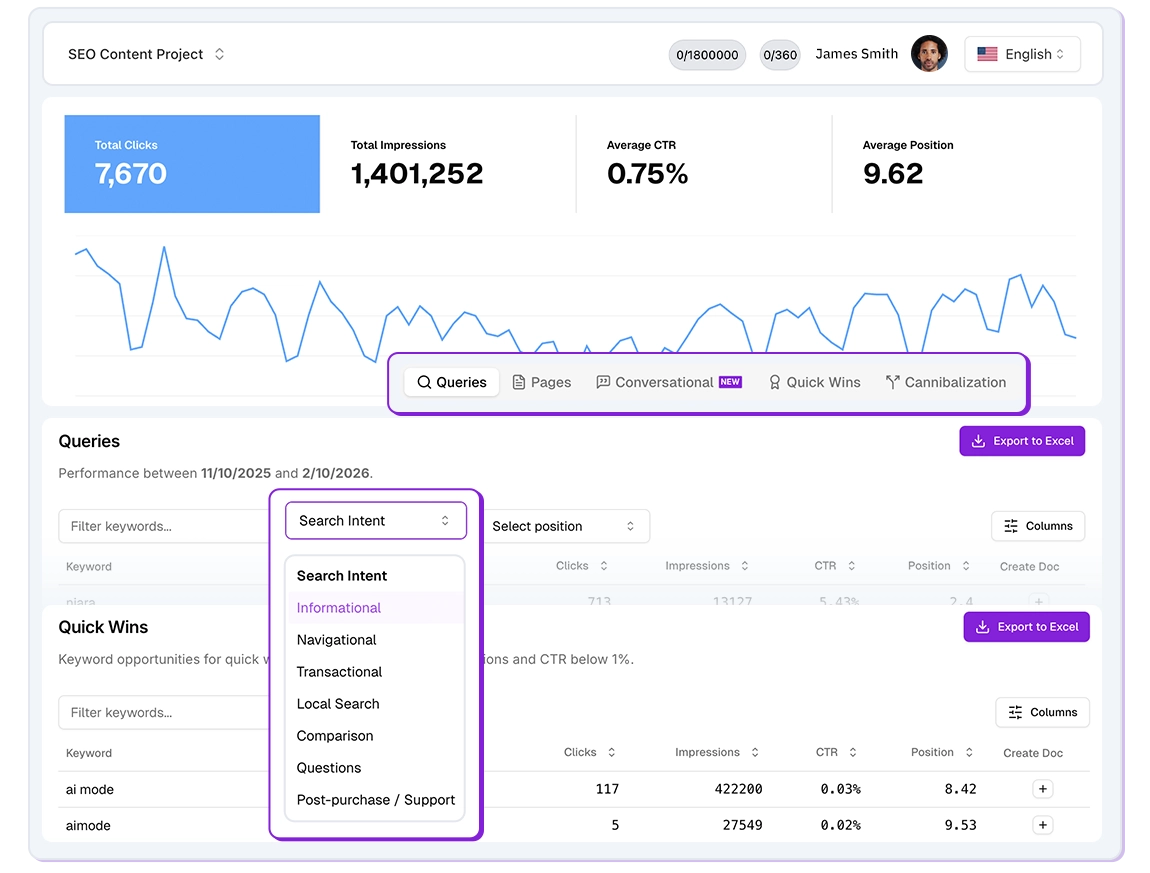
Niara’s Search Analytics is the evolution of your SEO analysis. It integrates directly with your Google Search Console (GSC) to offer up to 5x more data (up to 5,000 terms and pages) and transform complex numbers into strategic decisions in seconds.
Stop wasting hours on endless spreadsheets. Search Analytics was built so you can “talk” to your data and identify growth opportunities that native GSC often leaves hidden.
How to use the feature: Step by Step
- In the left sidebar menu, click on Search Analytics.
- Connect your Google Search Console account.
- Select the site (property) you want to analyze. Niara will automatically pull clicks, impressions, CTR, and average position.
- Choose the desired period (e.g., last 3 months) to view performance metrics.
Reports and Features
1. Queries and Pages
- Queries: Lists all the keywords driving traffic to your site.
- Pages: Identifies which URLs on your site are the most accessed.
- Content Flow Integration: Next to each term, you’ll see the “Create Document” icon, which sends the keyword directly to the creation flow.
2. Quick Wins
Identifies keywords with high impressions that are “on the verge” (positions like 11th to 20th). A small optimization here can lead to an immediate traffic jump.
3. Keyword Cannibalization
Discover if two or more pages on your site are competing for the same keyword. This helps you decide whether to merge content to gain more strength and relevance.
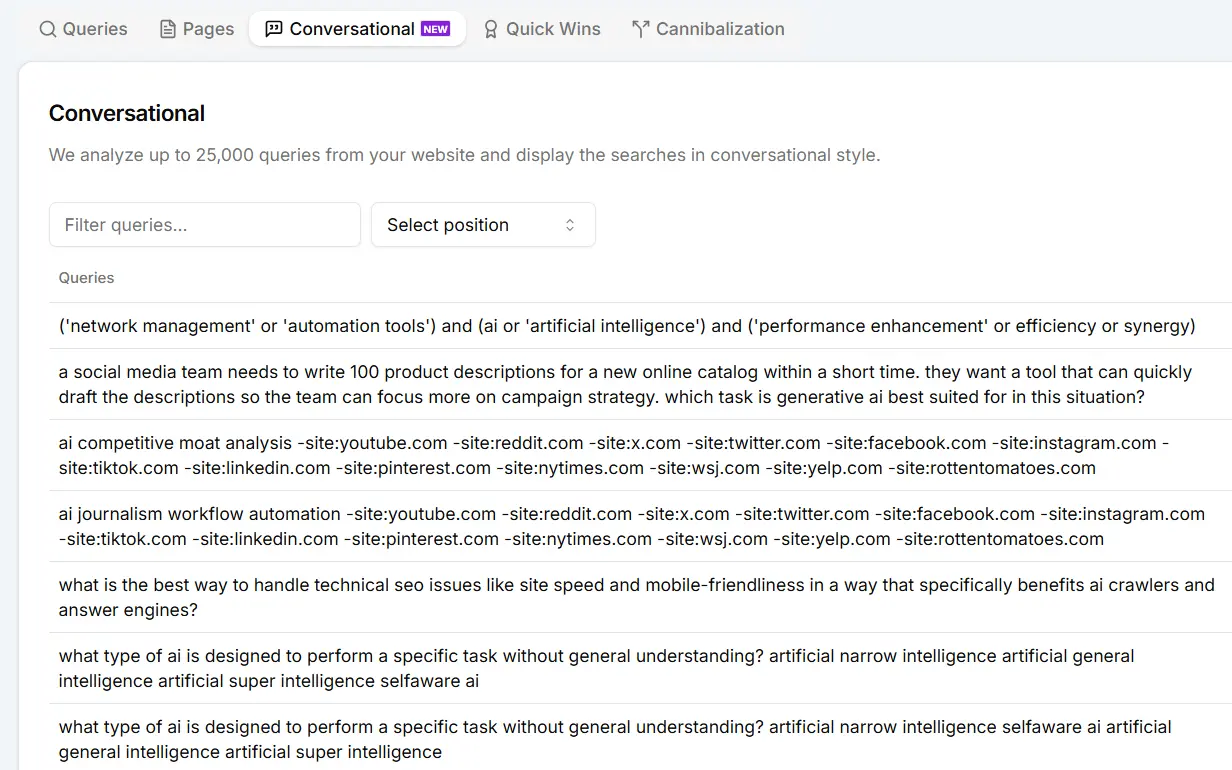
4. Conversational Queries
Understand how users ask real questions on Google, revealing search intents that generate excellent new content topics. For this report, we analyze up to 25,000 queries from your GSC and deliver the “gold” to you.
5. Advanced Filters and Search Intent
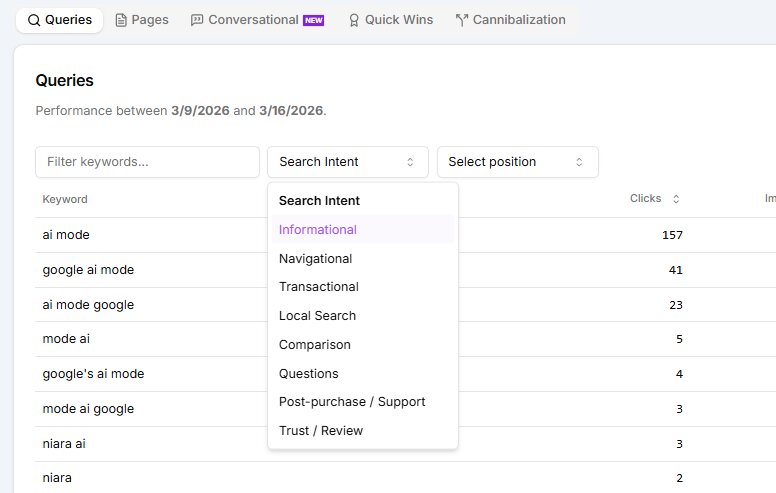
Refine your analysis to find exactly what matters for your ROI:
- Search Intent: Classify your queries into informational, commercial, or transactional.
- Average Position: Quickly find terms between 4th and 10th position to prioritize optimizations and reach the Top 3.
- Search Field: Filter by specific terms (e.g., “artificial intelligence”) to see the performance of an entire cluster at once.
6. From Data to Content in 1 Click
Found a high-potential keyword in the Search Analytics report? Next to each query, you’ll see the + button to “Create Document.”
By clicking, you are taken directly to the Content Flow, where Niara starts creating the SEO briefing based on that keyword. This closes the loop between data analysis and content execution.
Conversational Analytics (ChatSEO + GSC)
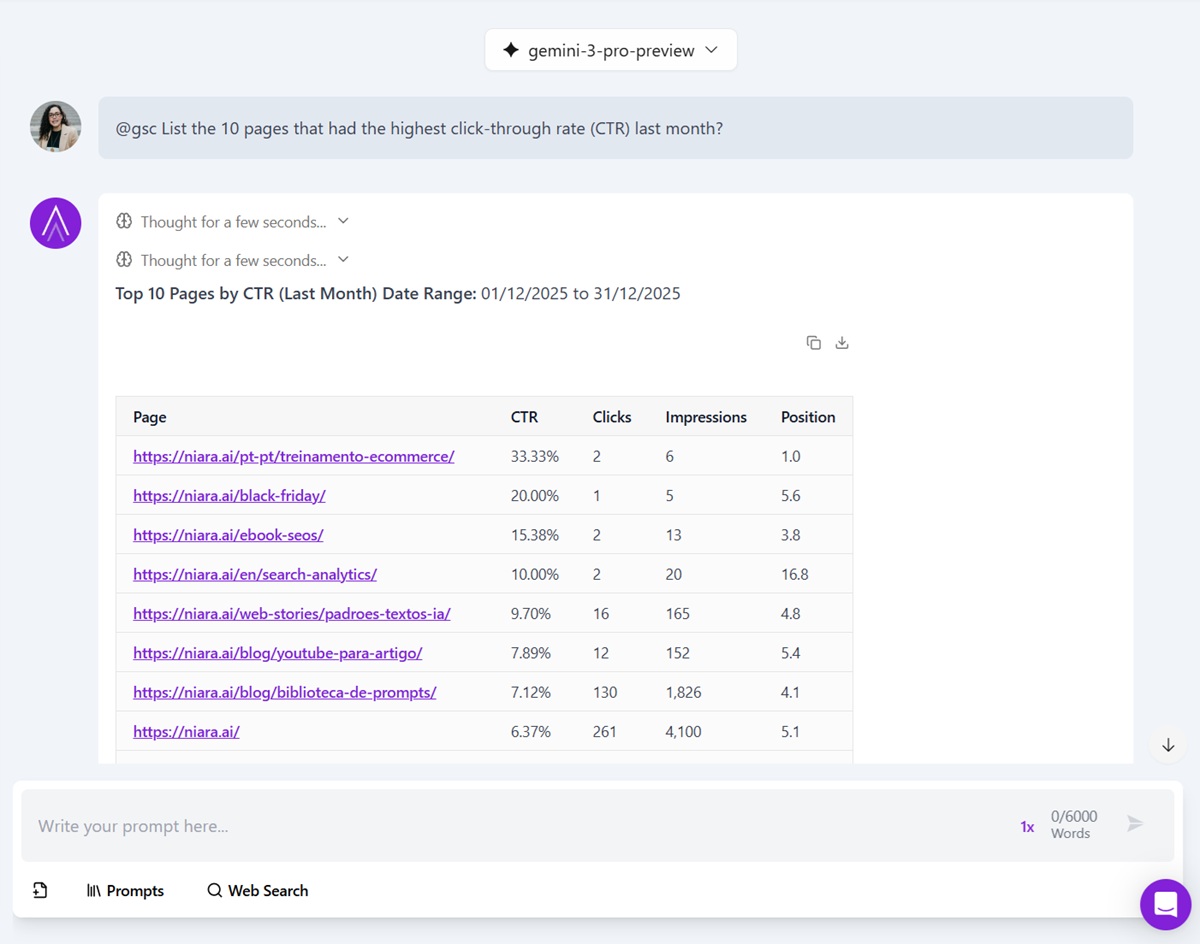
Conversational Analytics allows you to “chat” with your site’s data using natural language within ChatSEO.
How to use: In ChatSEO, use the @gsc command before your question. Examples of commands you can use:
- “@gsc list the top 15 keywords with the most clicks in the last 30 days.”
- “@gsc which pages had a drop in CTR last month that I need to optimize?”
- “@gsc analyze these keywords and suggest new content topics to fill gaps.”
Niara understands the context. If you ask for data from the last 30 days, it already knows today’s date, performs the calculation, and delivers the table ready with improvement insights.
Instant Insights: Request CTR, impressions, and performance analysis without needing spreadsheets.
Strategy Suggestion: Niara analyzes the data and suggests new content topics to expand your reach.
Availability
Search Analytics is available in all Niara plans:
- Team and Scale Plan: Full and unlimited access for all team members.
- Solo and Trial Plan: Access enabled with data volume limitations for you to test the tool’s power.
Ready to transform your data analysis? Access Search Analytics on Niara now and simplify your SEO!