
Niara’s AI agents are trained to execute specific marketing routine demands quickly and efficiently. No more suffering from “creative block” or spending hours on repetitive manual processes.
Best of all, just like Niara’s other features, the content generated by AI SEO Agents also takes your Brand Voice into account. The result: highly personalized content.
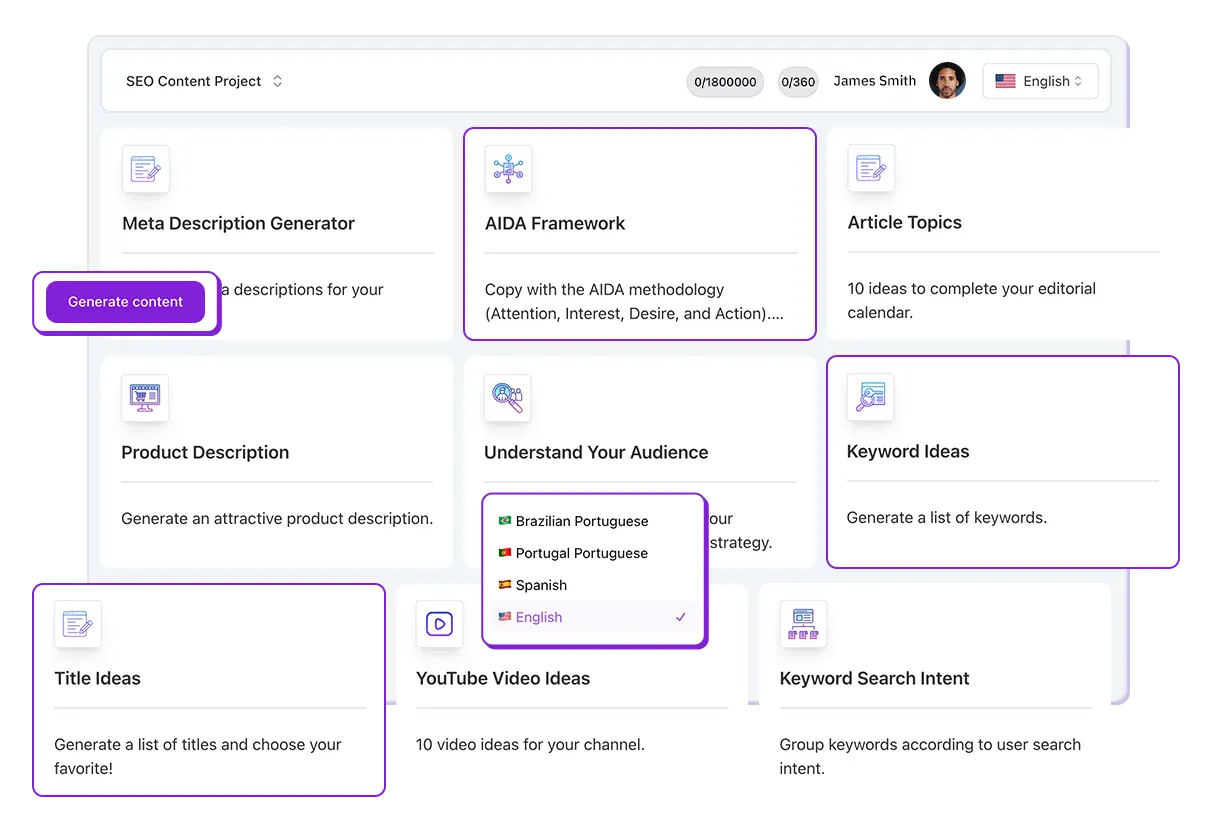
How to use this feature: Step by Step
- In Niara’s left sidebar, click on AI Agents.
- Browse the resource library (e.g., Grammar Review, Google Ads, Topic Cluster, Instagram Captions, etc.) and select the one you want to use.
- Fill in the requested fields. Each Agent has specific fields; for Product Description, they are:
- Topic/Product: The main subject (required field).
- Target Audience: Who the content is intended for (optional, but recommended for higher precision).
- Quantity: Define the delivery volume (e.g., 5 to 30 keywords).
- Language: Choose between English, Spanish, or Portuguese.
- Click Generate and wait for the content to be created in a few seconds.
💡 Expert Tip: Before filling in the fields, read the Instruction at the top of each Agent. There, Niara provides valuable tips on how to provide information to get the best possible result from the artificial intelligence.
Main AI SEO and Marketing Agents Available
Niara offers various solutions for different stages of your strategy:
1. Keyword Ideas
Generate lists of relevant terms in seconds.
- How to use: Enter the main topic and target audience (e.g., “Sustainable Fashion” for “25-year-olds”).
- The Niara Advantage: You can choose the number of keywords you’d like to get (up to 30 words) and the language.
2. Topic Cluster
Build an authority structure for your blog.
Niara defines a Pillar Post (main content) and suggests several Clusters (secondary posts) to surround the topic and dominate organic search.
3. Audience Interests
Discover who your true audience is.
- How to use: Enter the name of your product or service.
- What you get: Demographic data, consumption habits, and suggestions for similar products your audience typically buys.
4. Content Production and Social Media
Niara also has ready-to-use AI Agents for:
- Grammar Review: Improve the quality of your writing.
- Google Ads: Create optimized headlines and descriptions.
- Instagram and YouTube Captions: Generate creative and engaging copy for your social networks.
- Product Descriptions: Ideal for e-commerces that need to scale item registration.
Where can I find my previous generations?
Don’t worry about losing what has already been created. All requests are stored in the History tab within each Agent.
- Access data: In the history, you can see exactly what you filled in (topic, audience, and filters) at the time of generation.
- Copy content: Simply click the copy icon to take the information directly to your project or text document.
- Move to another project: Created a task in the wrong project? In the history tab, click the move icon next to the copy icon and move the content to your desired project.
Plan Limits
The AI Agent feature is available in all Niara plans, but with different usage limits:
- Team and Scale Plans: Unlimited access among team members.
- Solo Plan: Limit of 60,000 words per month shared between ChatSEO, AI Agent, and Bulk Content features.
Have questions about a specific AI Agent? Explore other articles in our Help Center or contact our support team!