Search behavior has changed. With the arrival of Google’s AI Overviews (formerly SGE), users now receive complete AI-generated answers at the top of the results. Niara’s Google AI Mode Insights was created so that your website not only survives this change but becomes the go-to source for these answers.
What is Google AI Mode Insights?
It is an advanced diagnostic tool that analyzes your URL through the lens of Google’s official criteria for AI-generated searches. It identifies how the search engine’s artificial intelligence “sees” your content and what is missing for you to win featured positions in AI summaries.
And since LLMs use similar configurations of Query Fan Out, implementing the suggestions from Niara’s Google AI Mode Insights will also increase the chances of your content being cited in ChatGPT, Gemini, Perplexity, and other AIs.
How to use the feature: Step by Step
- In the Niara menu, go to Extra Tools.
- Then, click on Google AI Mode Insights.
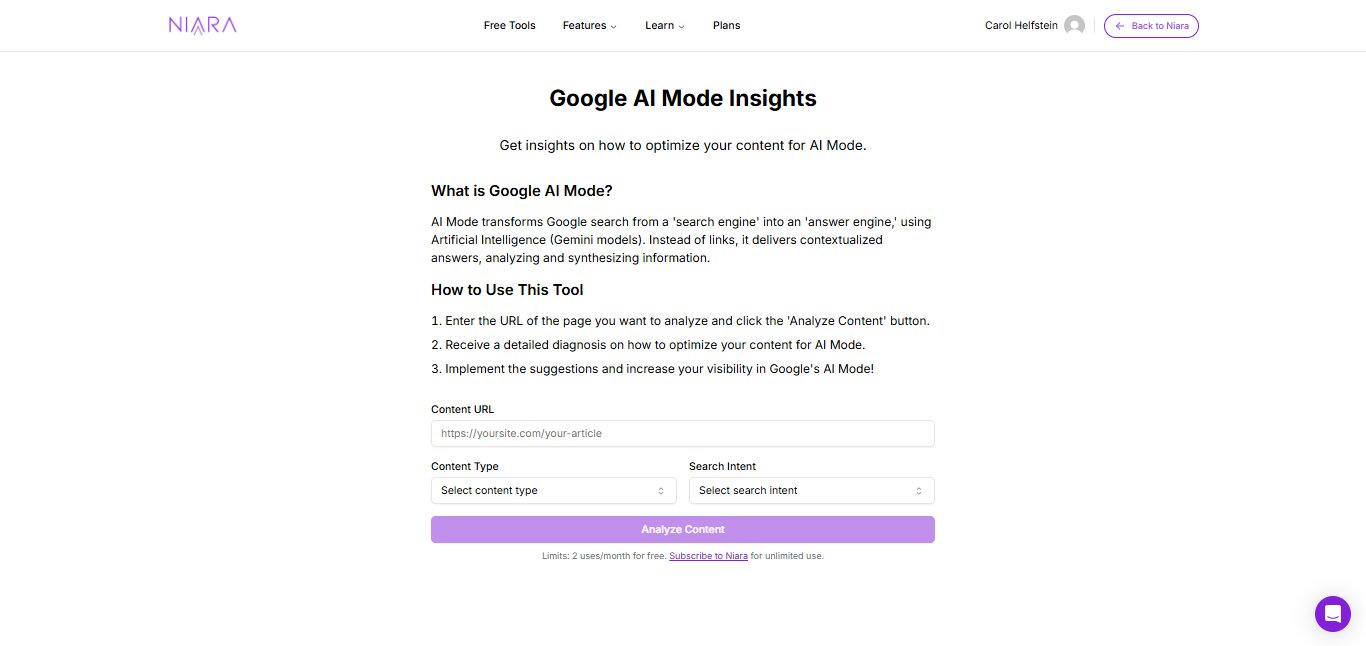
- Enter the URL of the page you want to analyze, the content type, and the Search Intent.
- Click Analyze.
In a few seconds, Niara will deliver a detailed report with diagnostics and practical recommendations.
Google AI Mode Insights, like all other extra tools, is unlimited for all plans.
What does the tool analyze?
1. AI Visibility Diagnosis
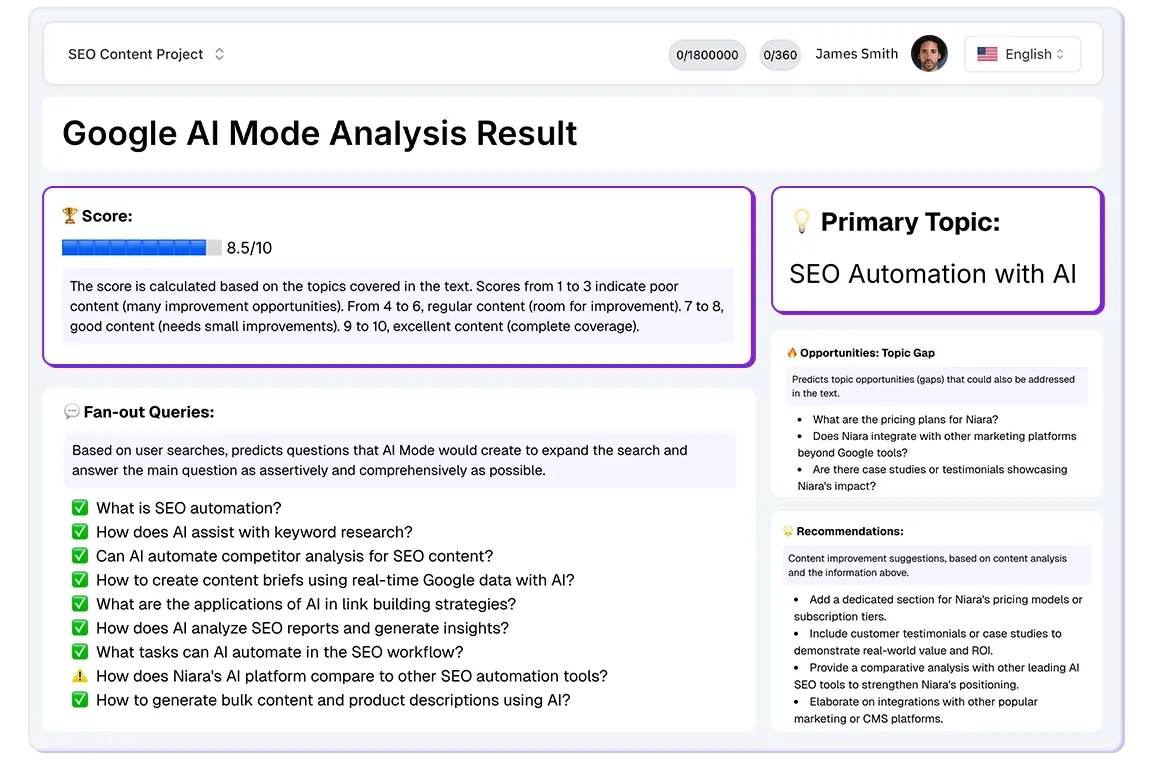
Niara evaluates whether your content has the necessary structure to be cited in AI response blocks. It checks the clarity of the information and the authority of the topic covered.
2. Query Fan Out (Query Expansion)
Google uses the “Query Fan Out” concept to understand questions related to the user’s main query. AI Mode Insights suggests which secondary questions you should answer in your text to increase your semantic relevance.
3. Content Gap Identification
The tool points out what is missing from your page to answer more complex search intents. If Google’s AI is prioritizing information you haven’t included, Niara tells you exactly where those informational gaps are.
4. Optimization Recommendations
You will receive direct improvement suggestions, such as:
- Adjustments to subheadings (H2 and H3).
- Inclusion of lists and tables (formats that AI loves).
- Improvements in E-E-A-T (Experience, Expertise, Authoritativeness, and Trustworthiness) to ensure the AI trusts your information.
Tip: In addition to internal content, you can also use the tool to analyze competitors and thus create better content than theirs.
Why use this feature?
Unlike traditional SEO, where we focus on isolated keywords, AI SEO focuses on context and problem-solving.
Gain authority: Be the source cited by Google.
Maintain your traffic: Anticipate SERP changes and ensure your brand appears in the new search formats.
Data-driven decisions: Stop guessing what Google wants and follow the guidelines configured according to the search engine’s official AI documents.
Niara’s Tip:
“Appearing in AI Overviews is the new ‘top of Google’. It’s not enough to just have good text; your content needs to be structured so that the AI can process and synthesize it. Use AI Mode Insights to audit your main pages and ensure you’re not leaving room for the competition in the searches of the future.”
Want to analyze your site now? Access Google AI Mode Insights here.