
Niara’s multilingual support allows you to manage international websites and expand your operations into other markets with the same technical quality.
The platform is equipped to analyze data, generate briefings, and write full articles in different languages, removing boundaries from your SEO workflow.
Currently, Niara is capable of processing data and generating text outputs in the following languages:
- Portuguese (BR and PT)
- English
- Spanish
How to use different languages in Niara?
- ChatSEO: when interacting with ChatSEO, you can directly instruct Niara about the desired response language.
- Content Workflow: before creating the briefing and content, you can select the SERP country and the language.
- AI Agents: within the Agents module, you can pre-define the language in which you want to see the final result of your automation.
Changing the platform language
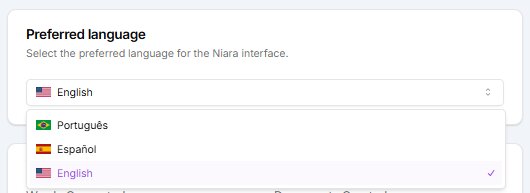
If you prefer to browse in a fully localized environment, you can change the language of Niara’s menus and commands:
- Go to the My Account menu.
- Select the Preferred Language option.
This is ideal for creating local versions of your website or targeting international SERPs with the same technical quality you use in your home market.