
The Brand Guideline feature is available during the free trial and on all Niara plans. To set it up, follow the steps below:
- Log in to your Niara account and select the project you want to configure.
- In the left sidebar menu, click on Project Settings.
- The Project Information panel will open. Here, you’ll find the dedicated section for adding your brand guideline.
- I already have a Brand Guide: Great! Just enter your tone of voice, writing style, target audience and personas, and any specific communication rules.
- I don’t have a Brand Guide yet: No worries, we make it simple for you! Click the “Generate Guidelines” button and Niara will research the content available online about your brand and create an automatic Brand Voice suggestion. Review and adjust it as needed.
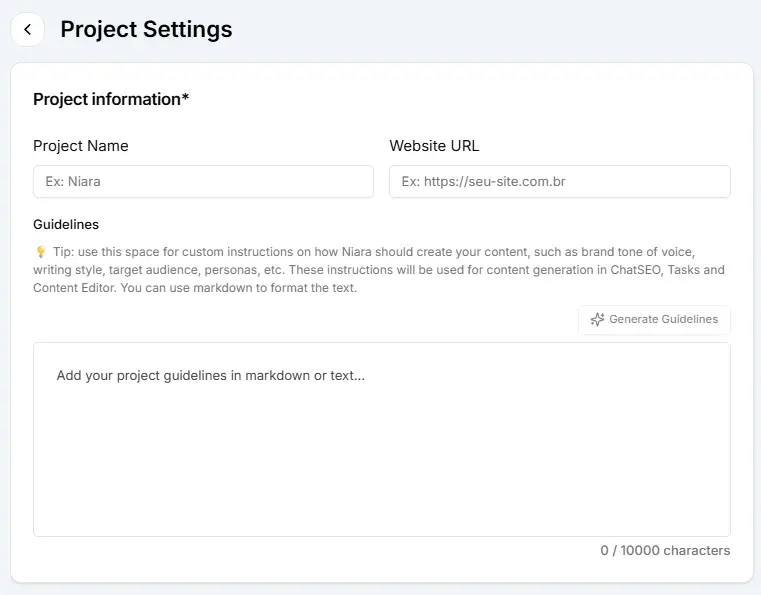
Pro tip: You can use text formatting features (such as bold, italics, and lists) to organize these instructions and make them even clearer for Niara.