
It is with great pleasure that we are launching our latest feature in public beta, set to revolutionize the creation of SEO-optimized content: Niara’s Content Creator (the third and last stage of the Content Workflow).
Developed with the most advanced artificial intelligence technology, this tool is designed to meet the needs of SEO professionals and marketing teams at agencies and companies.
Currently, the Content Creator is available as the next step after creating an SEO Briefing. Once you create the Briefing, you will have access to the Content Creator.
During the closed beta, over 60 users utilized this feature, testing and sharing their feedback so we could build the best AI content editor on the market!
How can it help you?
The Content Creator is a tool packed with features designed to simplify and enhance the process of creating SEO-optimized content.
The main differentiator is that it uses information from the SEO Briefing to feed the AI and the Content Score, ensuring that the content is generated with the correct context and SEO best practices.
The SEO Briefing provides real-time data from the content of organic competitors, allowing you to create your brief in under 15 minutes!💡
Content Creator Features
Check out the main features of this innovative tool:
1) Content Score: Real-Time Feedback
The Content Score is a true ally for any SEO professional. It analyzes several essential factors for writing optimized content in real-time, ensuring your text is aligned with SEO best practices.
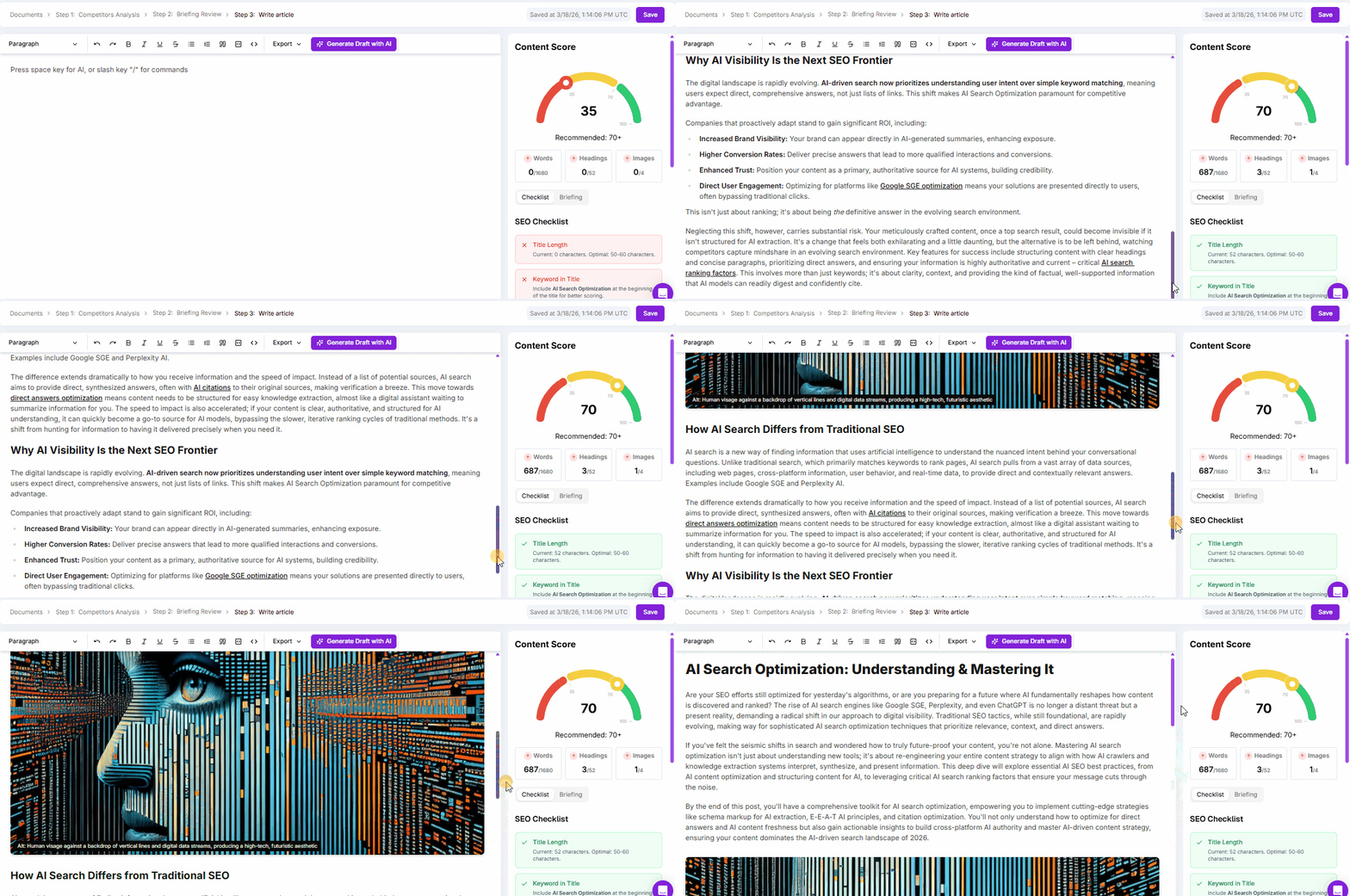
Content Score Ratings
- Below 35: low-quality content
- From 35 to 70: medium-quality content
- Above 70: high-quality content
Some of the factors analyzed:
- Main Keyword Presence: Checks if the main keyword is strategically placed in the title, article introduction, Meta Title, and Meta Description.
- Topic Structure: Based on the briefing and SEO best practices, it analyzes the presence and quantity of heading tags (h1, h2, etc.).
- Word and Image Count:Ensures that the number of words and images matches the specifications of the Briefing.
- Secondary Keywords:Analyzes the presence of secondary keywords to increase the content’s relevance.
- Meta Title and Description: Analyzes the character count of the Meta Title and Meta Description, following industry recommendations.
2) Artificial Intelligence to Help Create Content
As mentioned, we use data from the SEO Briefing to generate the content. Therefore, the result is much more personalized to your needs—but your review remains essential. 😉
Throughout the content, there are ways to activate Niara’s AI: by selecting text or by pressing the “space” key.
Remember that it’s best to create the text in parts. This way, you’ll get something more in-depth and complete—as an AI, Niara won’t be able to generate a long article of 1,500 words all at once, for example.
See below:
Selecting Text
When you select the text you want Niara to write about, it will consider the entire SEO Briefing and its context to generate content only for the selected portion.
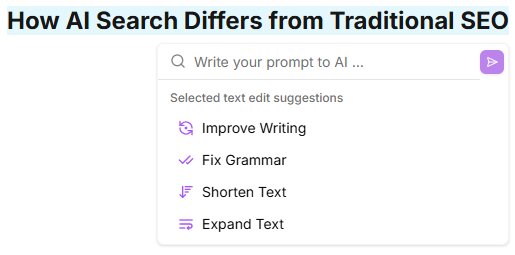
- Select one or more heading tags or a block of text, and “Niara AI” will appear.
- In the example below, it will consider the SEO Briefing about “AI Search Optimization” but will only write about the “How AI Search Differs from Traditional SEO” topic.

- Next, clicking “Niara AI” will bring up a pop-up with several options where you can either write your own prompt or click on one of the pre-defined editing suggestions.
- Example prompt: “write about the basic distinction in bullet points. Explain in non-technical terms so all users can understand the difference.”
Pressing Space
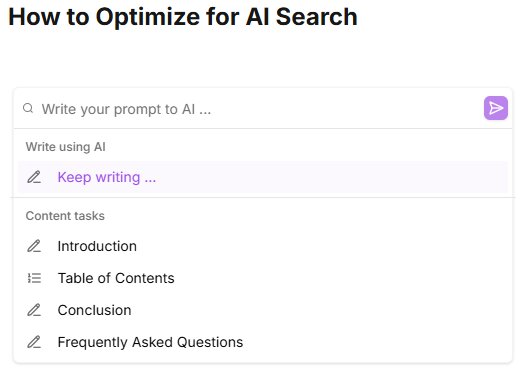
- In the content editor, right after a heading tag or a block of content, press the space key to see the options shown in the screenshot below.
- When we activate the AI right after a heading tag, like “How AI Search Differs from Traditional SEO” in the example, Niara knows it should consider your entire briefing and continue writing about the content.
- You can select a pre-defined prompt or write your own request. For example, “write an introduction highlighting the main points of the article and inviting the user to read it.”
3) AI Content Tasks: Enhance Your Text with a Single Click!
Select the text or press “space” to activate Niara’s AI.
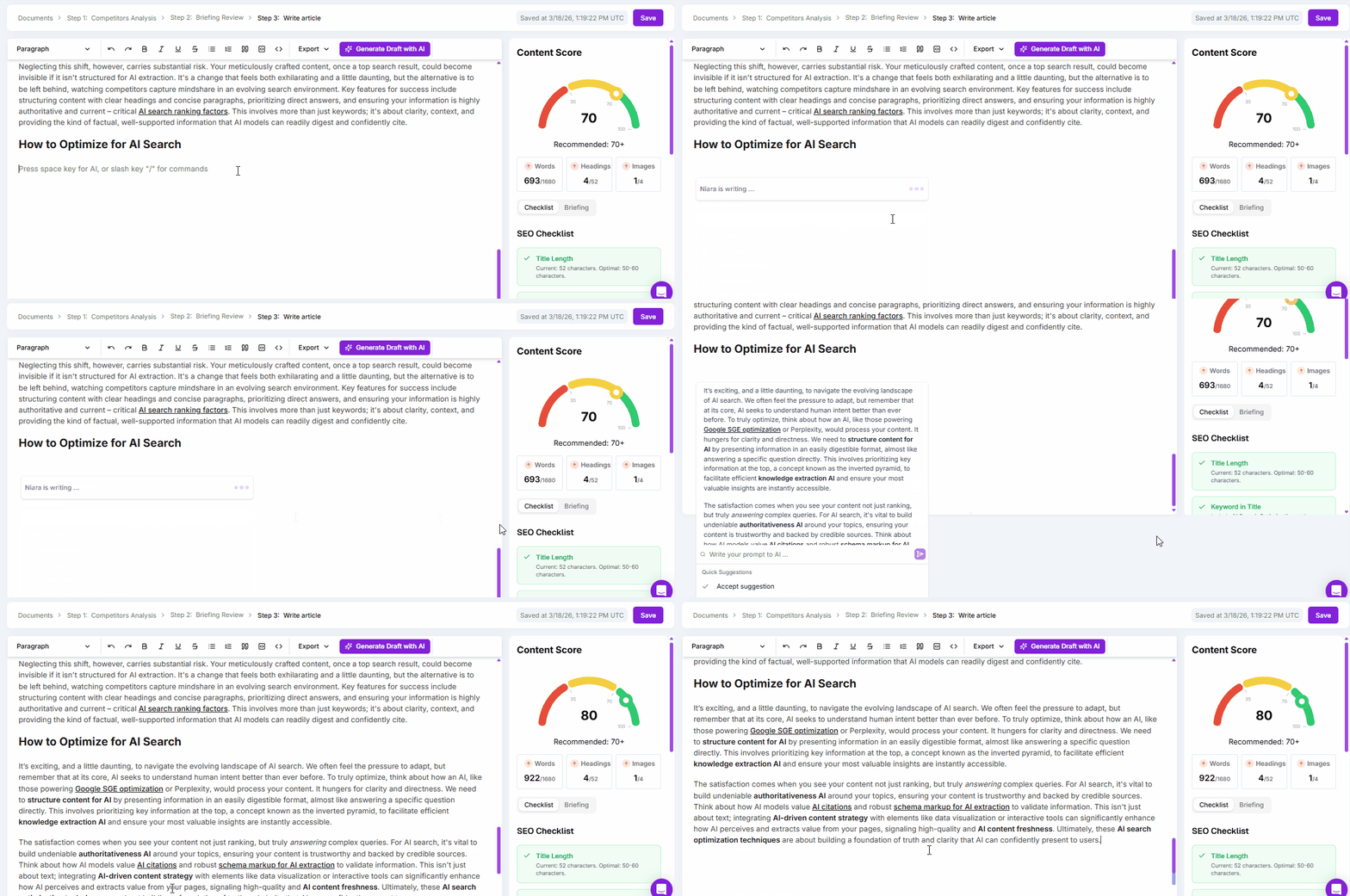
To make your writing process even easier and faster, our Content Creator performs common tasks using the power of AI, such as:
- Article Introduction:Generate captivating introductions that grab the reader’s attention from the start.
- Article Conclusion: Create powerful conclusions that leave a lasting impression and encourage action.
- Table of Contents:Structure your content in an organized and accessible way.
- Frequently Asked Questions (FAQs): Add Q&A sections to enrich the content and improve SEO.
- Grammar Check: Ensure your text is error-free, providing a professional reading experience.
There are many other AI content tasks, and we will add new ones whenever possible.
4) Inclusion of Images and Videos
Integrating images and videos is essential for creating engaging and informative content. The Content Creator allows for the easy inclusion of images with alt text and YouTube videos, making the content more attractive and improving the user experience.
The inclusion of these items also contributes to the Content Score calculation, based on the specifications of the Content Briefing.
5) Export to WordPress
The creation cycle only ends when the content is live. To ensure you don’t waste time with manual copy-and-paste processes, Niara’s Content Creator features direct integration with WordPress.
With just a few clicks, you can send your finished text directly to your CMS, ensuring all your optimization work arrives intact at its final destination.
In the top bar, click “Export” and select “Export to WordPress.” Choose the category and author, and that’s it: your optimized content is ready to shine on your site!
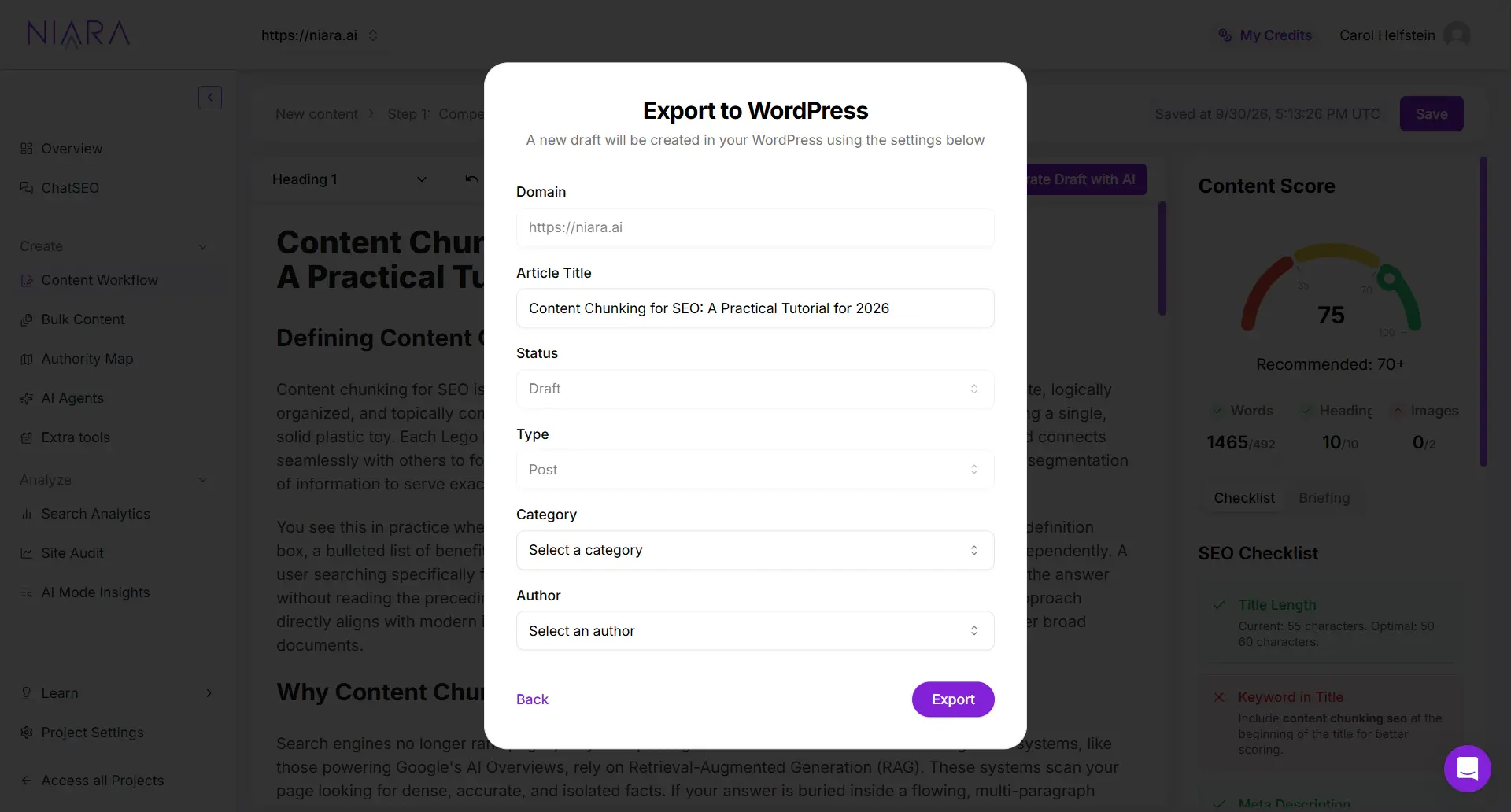
Key export benefits:
- Total Formatting Preservation: Forget the headache of reformatting tables, lists, or bold text. Niara exports the content exactly as you see it in the editor.
- Synchronized SEO: The Meta Title and Meta Description you optimized in Niara are automatically sent to your WordPress SEO fields.
- Images and Videos: All visual content inserted in the editor is transferred to the CMS, maintaining your article’s richness.
- Publishing Control: Content is always sent as a Draft, allowing you to perform a final layout review or schedule the post directly through WordPress.
- Dynamic Updates: If you make a last-minute adjustment to the text within Niara, you can re-export to WordPress to update the existing draft quickly and easily.
Get to Know the Content Workflow
Come see how easy and efficient it is to use the SEO Briefing + Content Creator in your creation process:
How can Niara’s Content Creator benefit your Team?
- Efficiency:Write content faster with AI assistance. Automate repetitive tasks like article introductions and conclusions, and save time to focus on strategic SEO activities.
- Quality: Produce high-quality, SEO-optimized content.
- Flexibility: You can write everything from articles and news to product descriptions and copywriting for landing pages.
- AI-focused optimization: Content Workflow has been updated based on optimization best practices for generative engines. This ensures that all outputs are AI-optimized.
How to write content with Niara?
To use the Content Creator, you need a Content Briefing created in Niara.
Creating content from scratch
- Go to SEO Briefing and click the New Document button (you can choose the search intent and the type of content to be generated: blog post, product description, or landing page).
. - Follow the step-by-step instructions to create the briefing and click the Save Draft button.
- Finally, click the Write Article button.
Creating from an existing briefing
- Access SEO Briefing from the side menu.
- In the document list, click the Write Article button for any document with the status “Briefing.”
Create, Optimize, and Scale with Niara
The launch of Niara’s Content Creator marks a new chapter in the process of creating SEO-optimized texts. With advanced artificial intelligence features, this tool is ready to take your content strategy to the next level.
Try it now and see how it can transform the way you create and optimize your content. 🚀
