From briefing to optimized content: learn how to transform your SEO routine. Discover how to unify competitor analysis, briefing, and full article creation in a single tool to multiply your team’s productivity. Meet Niara’s Content Workflow.
Content Workflow is Niara’s solution to end the “blank page” syndrome and the need to open dozens of tabs to research competitors. It is an end-to-end tool that unifies competitor analysis, planning, and full article creation in a single place.
With a total focus on performance, Content Workflow acts first as a strategist. It analyzes what is already working on Google for your keyword or term and, based on this real data, builds an optimized article.
The goal is simple: to allow you to produce content with technical depth and ranking potential. All of this, up to 10x faster.
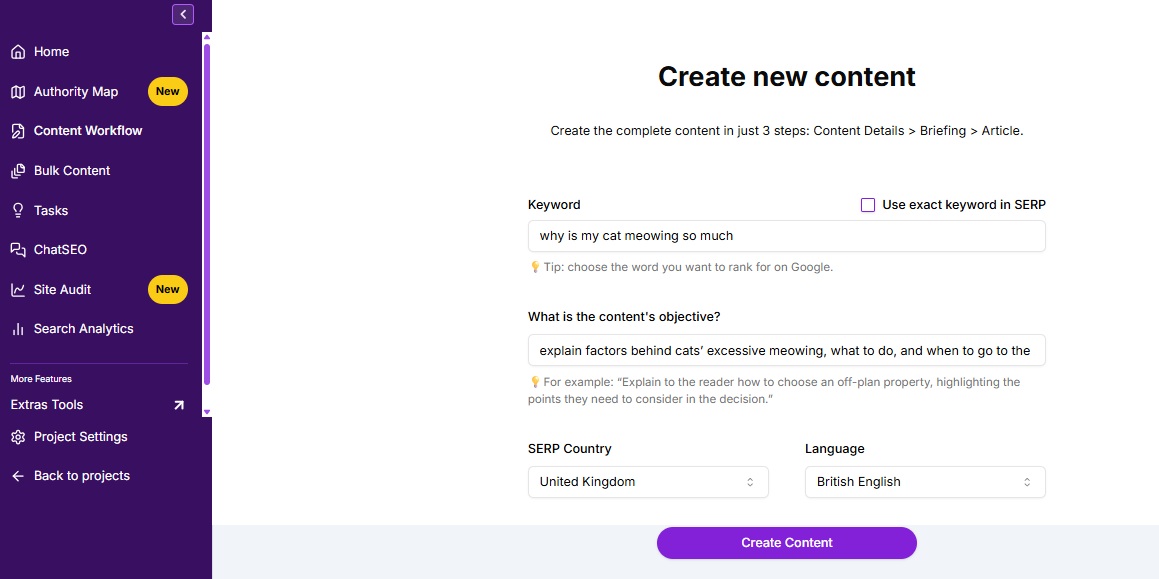
The magic of Niara’s Content Workflow happens in three main steps. The first starts with you:

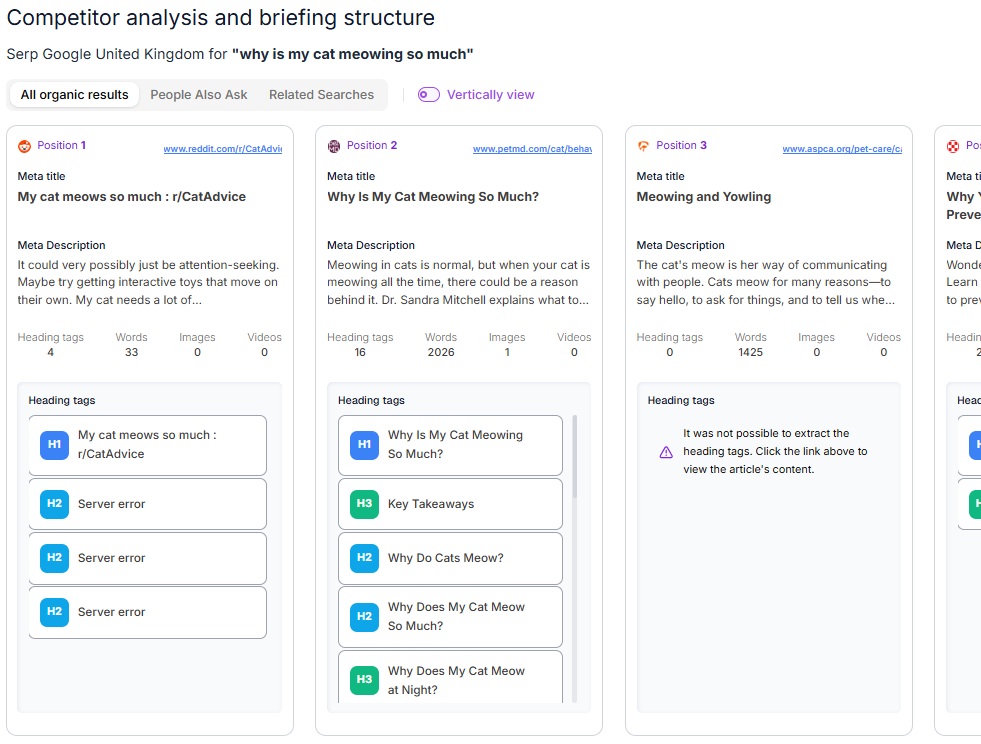
Niara analyzes the results from Google’s first page (SERP) to understand what your organic competitors are writing about, which topics they cover, and what gaps exist, identifying patterns:
Niara does the heavy lifting of data gathering, and you step in with strategic curation.
After analyzing competitors, Niara opens a new dashboard that centralizes everything you need: organic SERP competitors, People Also Ask questions, and related searches. Check out how to leverage each feature in this creation and review stage:
Right away, Niara lists the organic competitors from the first page and maps out the entire heading structure of each one.

Attention: On some sites, you might encounter the message “Could not extract heading tags. Click the link above to view the article content.” Don’t worry! This just means the site has a security block preventing our agent from reading it. Just click the link to check the structure directly on the page.
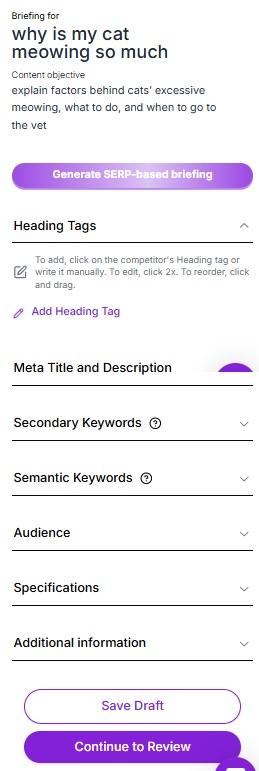
With the competition map in hand, you have two paths to build your briefing:
Right below the structure, Niara organizes the elements that will give context and SEO power to your article. If you used automatic generation, the AI will have already filled these fields for you, but everything is 100% editable:

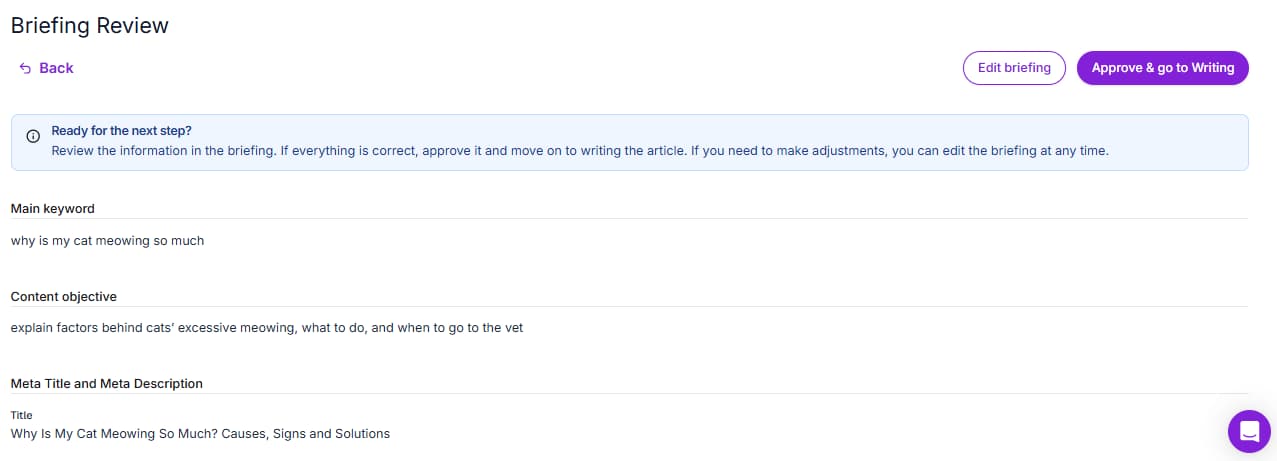
Niara speeds up the process, but the final curation is always yours! Edit any field as your strategy requires.

We’ve reached the final stage! When you move on to writing, you’ll find a complete, distraction-free environment to transform your briefing into an article ready to rank. Before you hit play on production, let’s understand how your new workspace works:
The Content Score helps you quickly identify what needs adjusting by evaluating crucial factors like: title length, keyword in title, meta description, content length, number of images, alt text, internal links, presence of H1, H2, and the total number of heading tags.
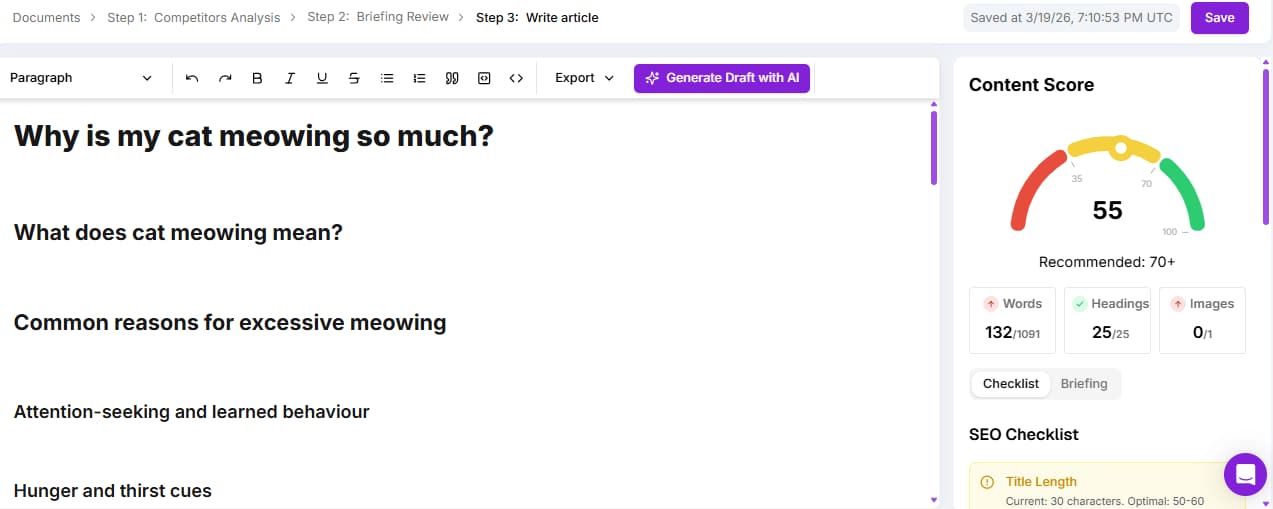
With the dashboard mastered, it’s time to bring the text to life. Niara adapts to your workflow, letting you choose how you want to produce:
Want to scale your production and save hours of work? Click “Generate Draft with AI” and let Niara write the entire text based on your structure.

![]()
Prefer to build the text in blocks and have more control throughout the process? Place the cursor in the ideal spot and press the spacebar for Niara to write that section. You can also type the “/” key to view a menu with the main quick commands.
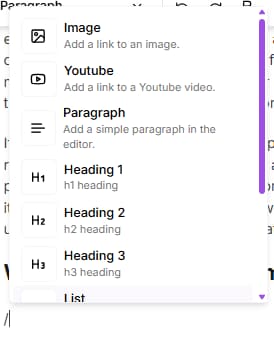
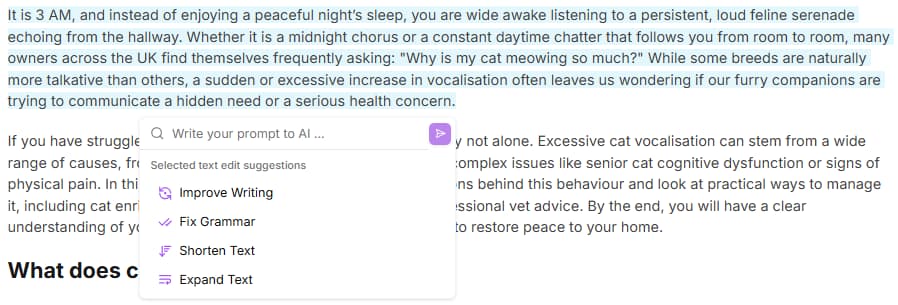
If you want to write the text yourself, the editor is free for you to use. Niara will stay by your side, updating the Content Score as you type. Tip: after writing a section, you can select the content and, in the Niara AI button, ask the tool to correct grammar, improve the text, or write your own prompt in the chat field.
Unique Content with Your Voice Forget generic and robotic texts. Content Workflow’s great differentiator is context. Every time Niara generates content, she deeply analyzes your Briefing and your Brand Guide. The result is extreme personalization: unique content that respects your company’s guidelines and tone of voice.
Besides the native options, you have total freedom to write custom commands (prompts) directly in the editor, asking exactly what you want for a paragraph or topic. Just press the spacebar to send your request or select a snippet and click “Niara AI” to complement it however you like.

In the example above, the request was the following: “cite data related to the benefits of environmental enrichment for cats, how much it makes them feel happier, livelier, and more stimulated”. Niara complemented it in the following way:
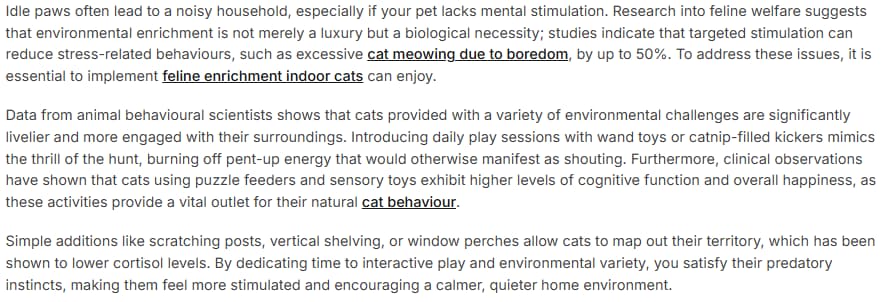
With the text finished and the Content Score high, it’s time to publish. In the top bar of the editor, you’ll see the ‘Export’ option. By clicking it, you can choose between copying the HTML or copying the formatted text.
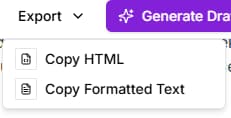
Then, just paste it directly into your CMS (like WordPress, for example) and your content will be ready to go live, keeping all the original formatting. Simple, fast, and no rework!

Yes, absolutely. We know an SEO professional’s routine is full of interruptions. You don’t have to do it all at once; your strategic work won’t be lost.
Niara stores every interaction in a secure cloud database. So, even if your browser closes unexpectedly or the power goes out, the latest version processed by the tool will be available in your account.
Yes, the content is 100% original and plagiarism-free! You can rest easy. Niara’s Content Workflow doesn’t “copy and paste” from other sites. Our process works like this:
The result is a unique, strategic text that reflects your company.
No, Google does not penalize content generated by Artificial Intelligence.
Google itself has officially stated that its algorithm doesn’t focus on who or what wrote the text, but rather on the quality of the information. The rule is simple:
At Niara, we advocate that AI is your best assistant to eliminate hours of operational work. However, human curation is irreplaceable! With our Content Workflow, the tool does the heavy lifting and accelerates creation, but you’re the one who adds the final strategic touch that Google and your readers value so much.
Yes! In YMYL (Your Money or Your Life — like Health, Finance, and Law) niches, Niara acts as an advanced research assistant that already understands industry terminology and how to structure reasoning in a didactic, SEO-optimized way.
This happens because, for article content generation, we use the advanced Gemini model – which has the most up-to-date information from the internet. This way, we can deliver well-organized, readable content with the correct technical terms. Your role, as an expert, is to provide the final curation (the E-E-A-T).
You must review sensitive data (like recent laws, dosages, or specific rates) and add your practical experience, such as case studies or nuances the tool might miss. Technology accelerates production and ensures optimization, while you ensure the accuracy and authority of the information.
Yes, you can update old texts with Niara’s Content Workflow. The SERP changes constantly, and an article that performed well a year ago might be outdated today.
By running an old post’s keyword through Content Workflow, Niara does an instant audit of what Google and your competitors are prioritizing right now.
The process becomes a content gap analysis: the tool delivers the ideal updated structure, and you compare it with your existing text. Instead of rewriting everything from scratch, you identify which new topics Niara suggested and use ChatSEO to generate only those new sections.
This way, you enrich the content with what it lacks to get back to the top, saving time and ensuring the article meets current search intent.
Content Workflow does not suggest internal and external links, and this is intentional to protect your strategy. Niara focuses on delivering the best textual content possible. Automating internal linking without knowing your site’s complete architecture or page hierarchy could generate irrelevant loops or broken links. But stay tuned. Soon, we will deliver another reliable feature for you!
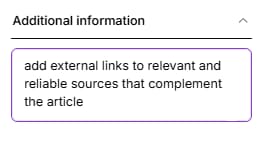
For external linking, you can ask Niara during the Briefing creation stage to add links to relevant and reliable sources. And she will do it automatically during the content generation stage.

Our recommendation: Use the Flow to ensure the content is the best on the SERP. Then, do the internal linking strategically (Clustering) to strengthen your pillar pages.
If you need help, you can list your main URLs in Niara’s ChatSEO and ask: “Based on these URLs I sent you, which ones make sense to link in this new article?“.
The tool analyzes the SERP and indicates the average number of images your competitors use, but the choice of where to insert them is yours.
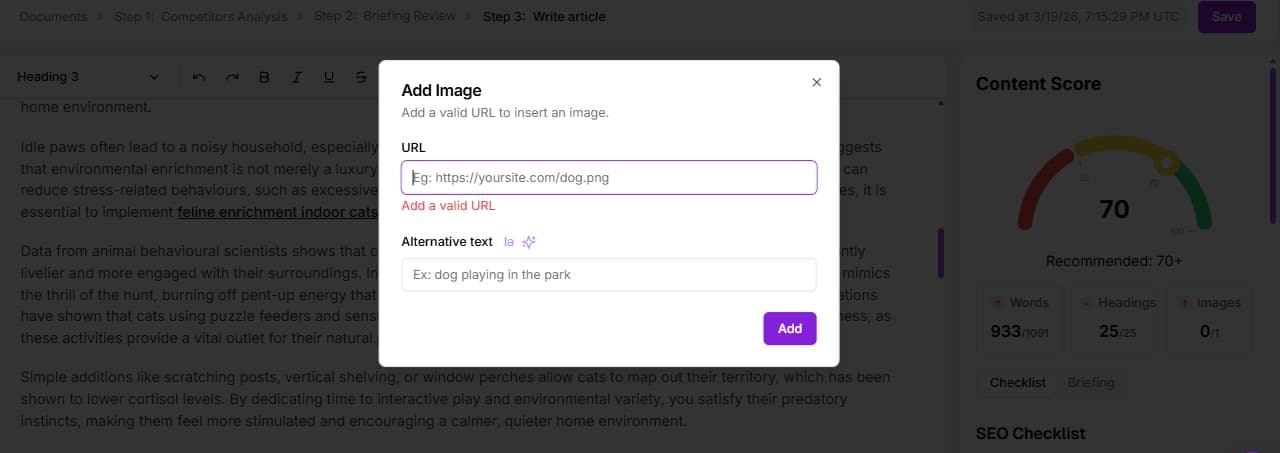
You decide where images make the most sense for the user experience (breaking up large blocks of text, illustrating examples, etc.) and insert them manually directly in Niara’s editor. Just type “/” to find the command and insert via link.

For the images you’ve chosen, you can ask Niara to automatically generate the Alt Text, ensuring accessibility and Image SEO without having to write descriptions from scratch.
There is no fixed or arbitrary word limit; Niara relies on competition data. The tool doesn’t write too little out of limitation, nor too much just to “fill space”. It analyzes the average word count of Google’s first-page results for your keyword and defines the ideal length so you can compete on equal footing.
If competitors on the first page have dense 3,000-word articles, Niara will understand you need depth and will generate robust content. If the answer is simple, it will be objective.
However, you have total control: if you want an article longer than the average, you can make the necessary adjustments in the Briefing stage or during content creation. Niara suggests the competitive baseline, but you define the final depth.

Niara’s Content Workflow consumes only 1 content credit per full article.
That’s right! No matter the size of the text: competitor analysis, briefing, and final writing cost just one action. This saves all your word credits to use strategically in other Niara features, like ChatSEO or Bulk Content creation.

Annual Plan Advantage: When you subscribe to the annual plan, you receive all the year’s credits at once! This means that, on the Solo plan, you start with 96 content credits unlocked (or 720 on the Team plan), plus all word credits multiplied. It’s the freedom you need to scale your production at your own pace, without waiting for the month to turn.
Que el Flujo de Contenido no encuentre competidores relevantes es una excelente señal: has encontrado un “Océano Azul”. Significa que la palabra clave es inédita o está muy poco explorada.
En este escenario, la herramienta no te dejará tirado. Niara utilizará el vasto conocimiento de la base de datos de la IA (LLM) para estructurar el mejor artículo posible sobre el tema, guiándose por la lógica semántica y no por la imitación de la competencia.
Esta es tu oportunidad de oro: como no hay nadie a quien “copiar” o superar, el contenido que genere Niara definirá el estándar de calidad para esa búsqueda, posicionando a tu marca como la autoridad pionera en la materia.
The difference lies in the database: the Flow looks outward (SERP), ChatSEO looks at the AI’s training.
Converse com a nossa equipe e conheça a fundo como a Niara poderá contribuir para aumentar a produtividade e eficiência de seu time de SEO e Marketing.